R E Q U E S T
A P P O I N T M E N T
Please read and understand the information below before requesting an appointment.
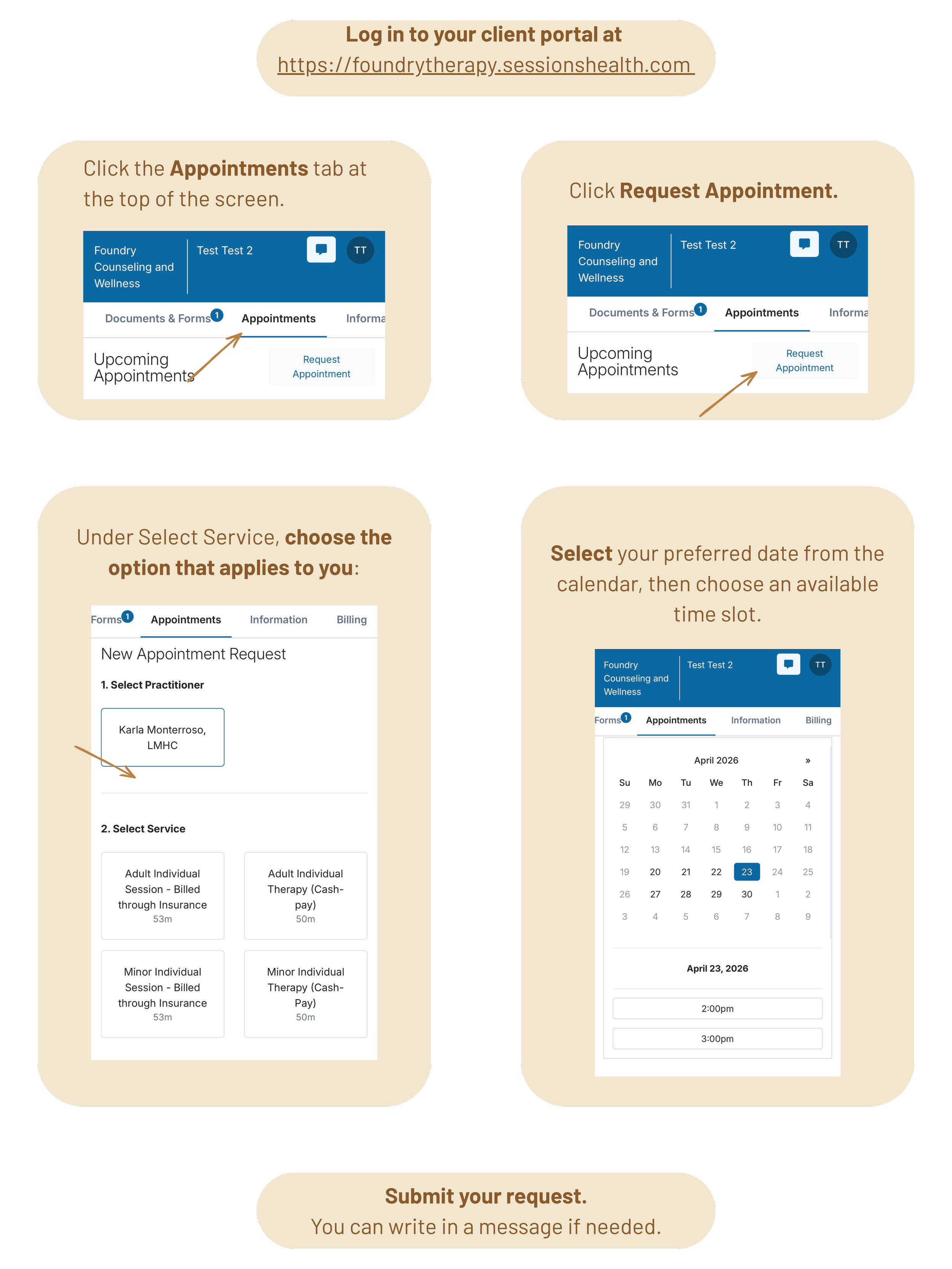
This is a request, not a confirmed appointment. Once reviewed, you'll receive a confirmation. If you don’t see a time that works for you, you are welcome to contact us to inquire about availability that is not visible on the public calendar.
Don't see the "Request Appointment" button? Please reach out directly at karla@foundrytherapy.com or text (407) 205-8270
Please note: Online booking is activated on a case-by-case basis and may be disabled at any time. This may occur due to a high number of recent cancellations, an unpaid balance on your account, no sessions in the past 30 days, or at the therapist's discretion. If access is removed, appointments will need to be made directly with your therapist or during sessions exclusively.